Downloads
L5 is free open source software available for Linux, Mac, Windows, Android and iOS.
L5 programs run using LÖVE (also called Love2d), a free, open-source framework. Love2d is a game framework, just like Godot, Unity, or Unreal, which provides support for graphics, audio and other parts used by L5. You will use Love2d to run your L5 scripts. This is similar to using a browser to run HTML code.
Covered by this download tutorial:
- Download and Install a text editor
- Download and Install Love2d
- Download and Open L5 Starter Folder
Step-by-step install guides
Install text editor
We will first need a text editor, which is where we write the actual L5 code on our computer. For those starting out, we suggest downloading VSCodium or Visual Studio Code (VS Code), available for macOS, Windows and Linux. But any preferred text editor is fine.
Note: If you use iCloud, VSCodium will have significant lag and it is recommended to install VS Code instead.
IDEs such as ZeroBrane Studio, Sublime Text, Notepad++, and SciTE all support launching LÖVE programs (the engine to run our L5 scripts), though require additional setup configuration not covered here.
Install L5lua Extension for VSCodium / VS Code
If you have VSCodium or VS Code code editor, open the editor.
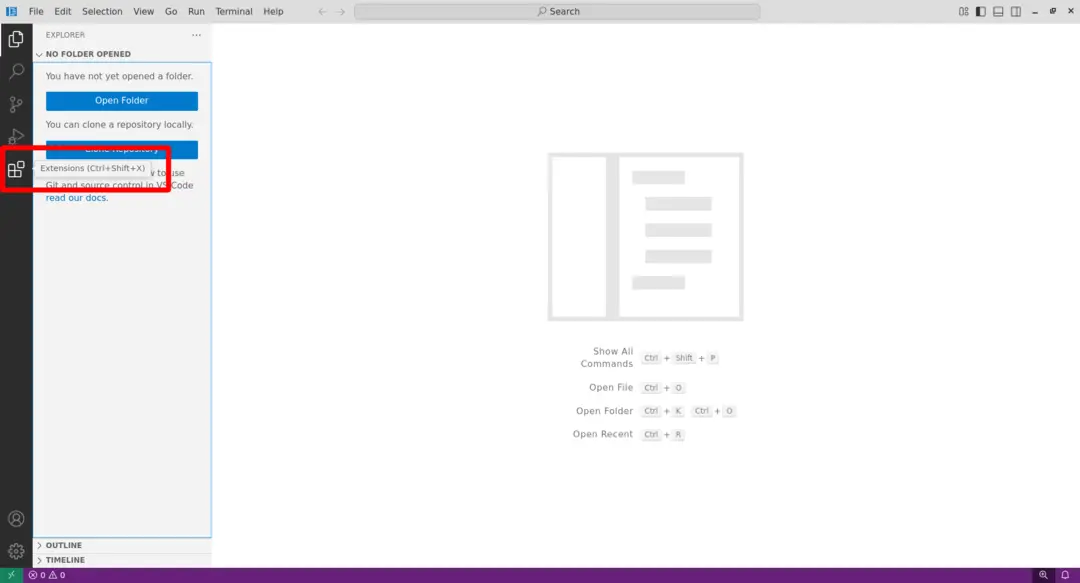
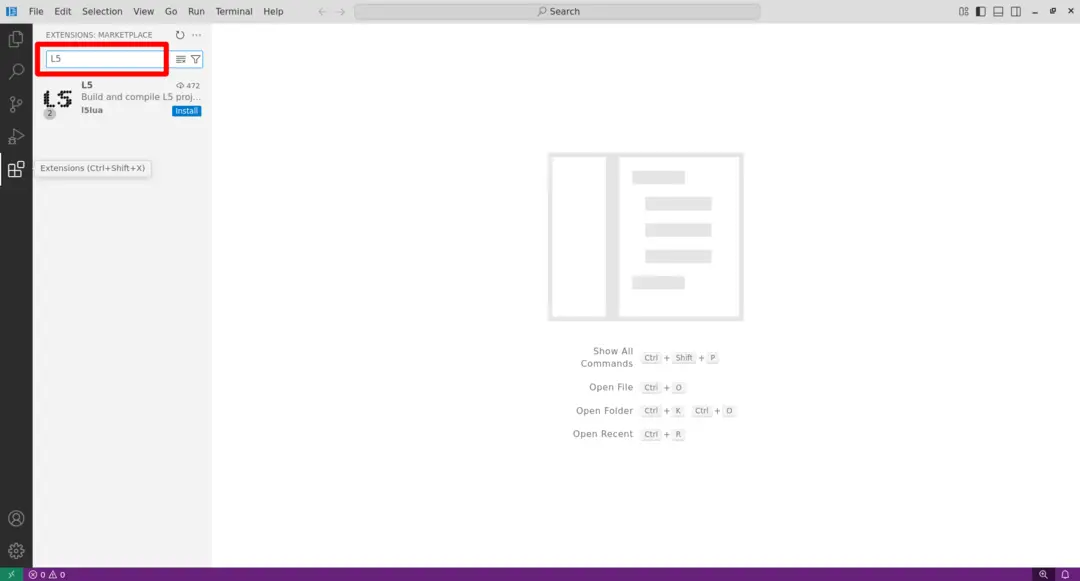
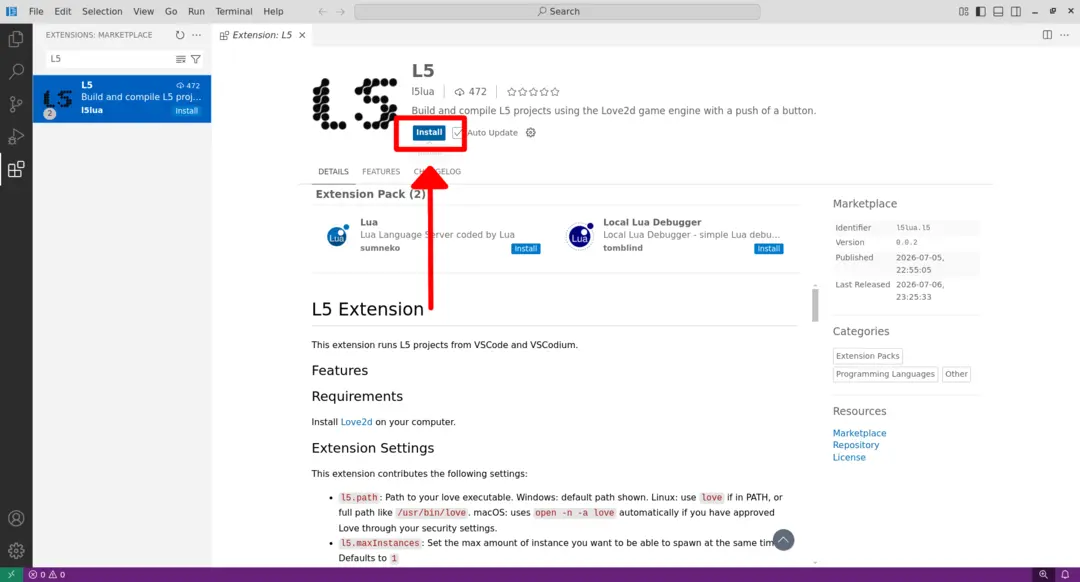
Click to open the extensions tab. Search for L5 and install the extension.
Install Love2d
L5 uses the Love framework to power its library. There are current installation instructions for macOS, Windows, and Linux.
This tutorial walks you through installing L5 with the Love (Love2d) framework on your Windows computer.
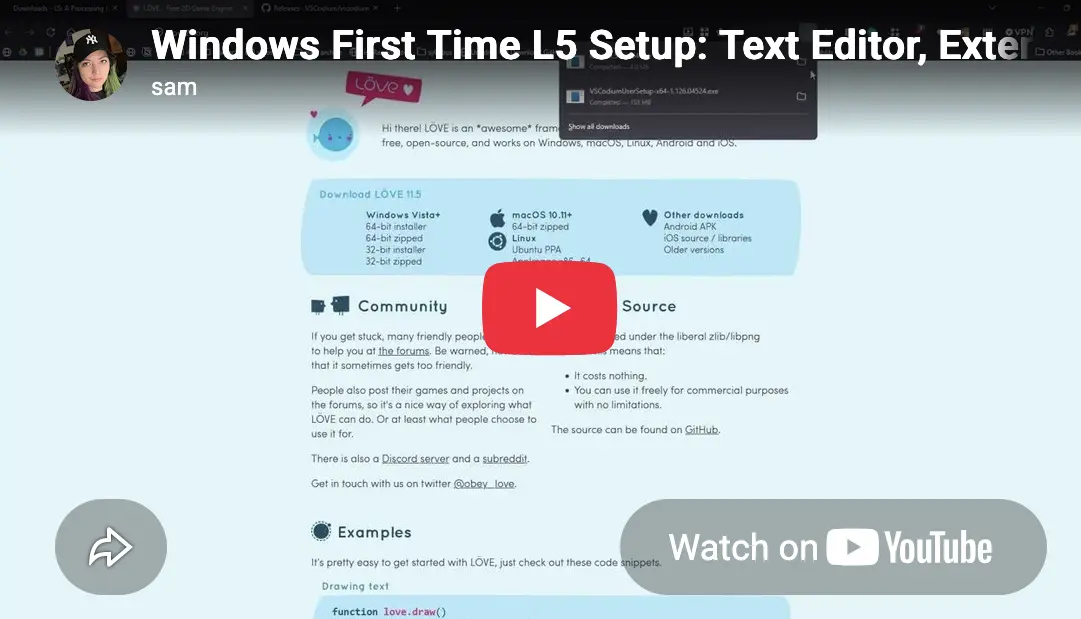
- Go to the Love website and click to download the 64-bit zipped Windows program.
- Your browser may show a warning. Click "Keep" or "Save anyway" to proceed with the download. It will download to your Downloads folder by default.
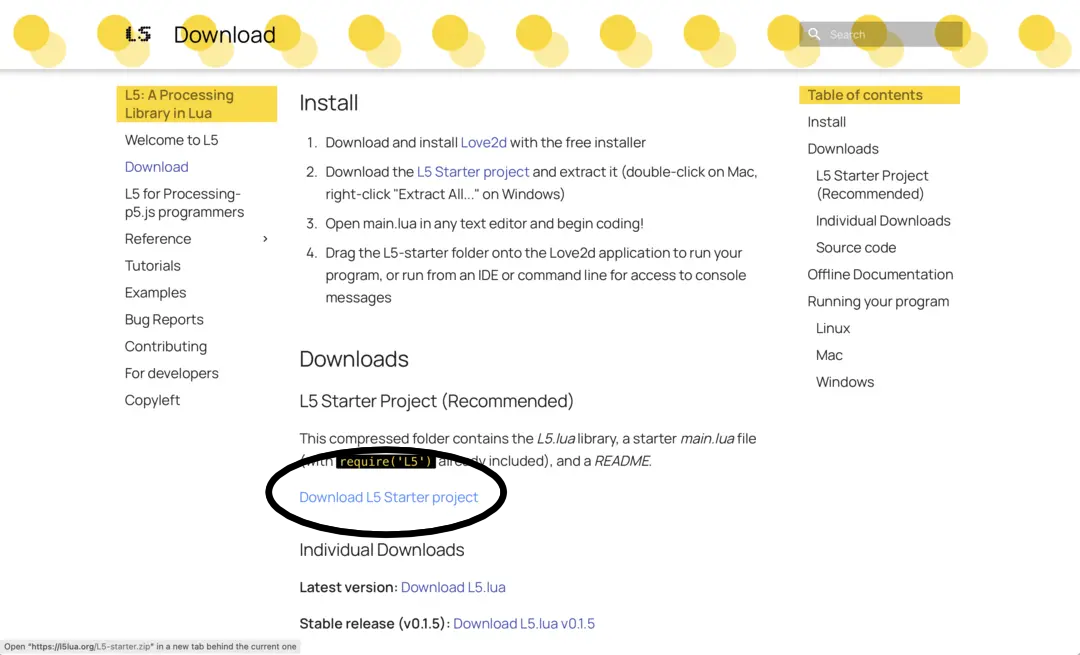
- From the L5lua.org Download page, download the L5 Starter project.
- Click "Save" when it asks you to save the L5-starter.zip file.
- Return to your Downloads folder on your computer. Right click on the Love zip file and choose "Extract All". Click "Extract" to extract it to your Downloads folder.
- Open the extracted Love folder and double-click the love.exe application to run it. Windows may show a security warning saying "Windows protected your PC". Click "More info" and then click "Run anyway".
- You should see a window open with a flying bird-shaped balloon and clouds, verifying that Love is now properly installed on your computer. At this point you can close the window.
- Go to your Downloads folder and right click on the L5-Starter.zip file and click to "Extract".
This tutorial walks you through installing L5 with the Love (Love2d) framework on your Macintosh computer.
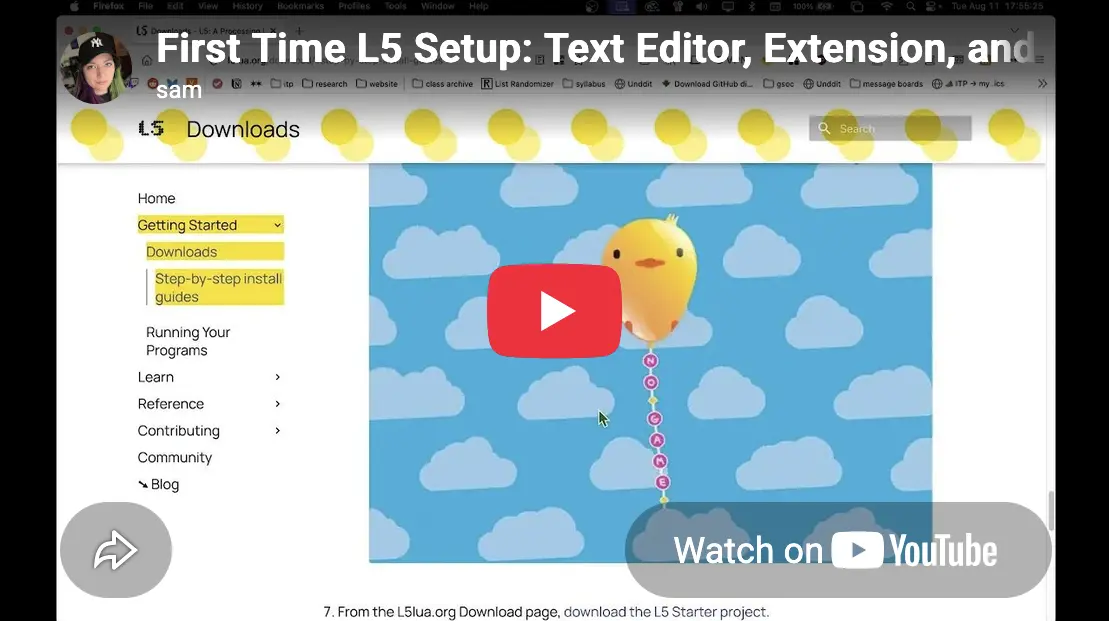
Video Tutorial
Text and Screenshot Tutorial
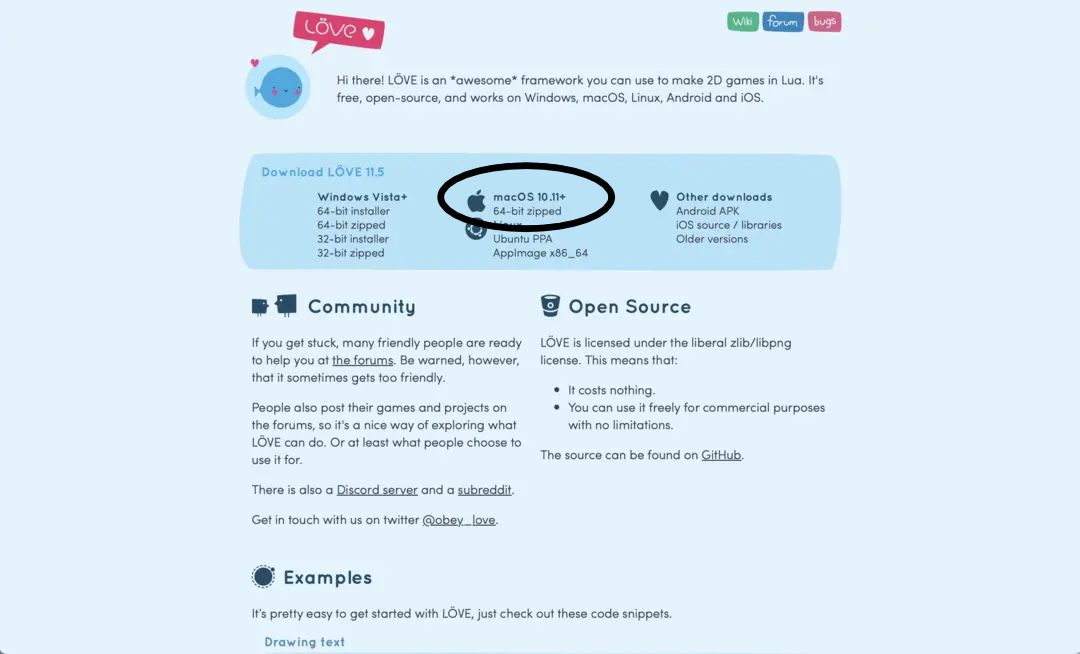
- Love is the underlying Framework that will allow L5 code to run on your computer. Go to the Love website and click to download the 64-bit zipped Mac program.
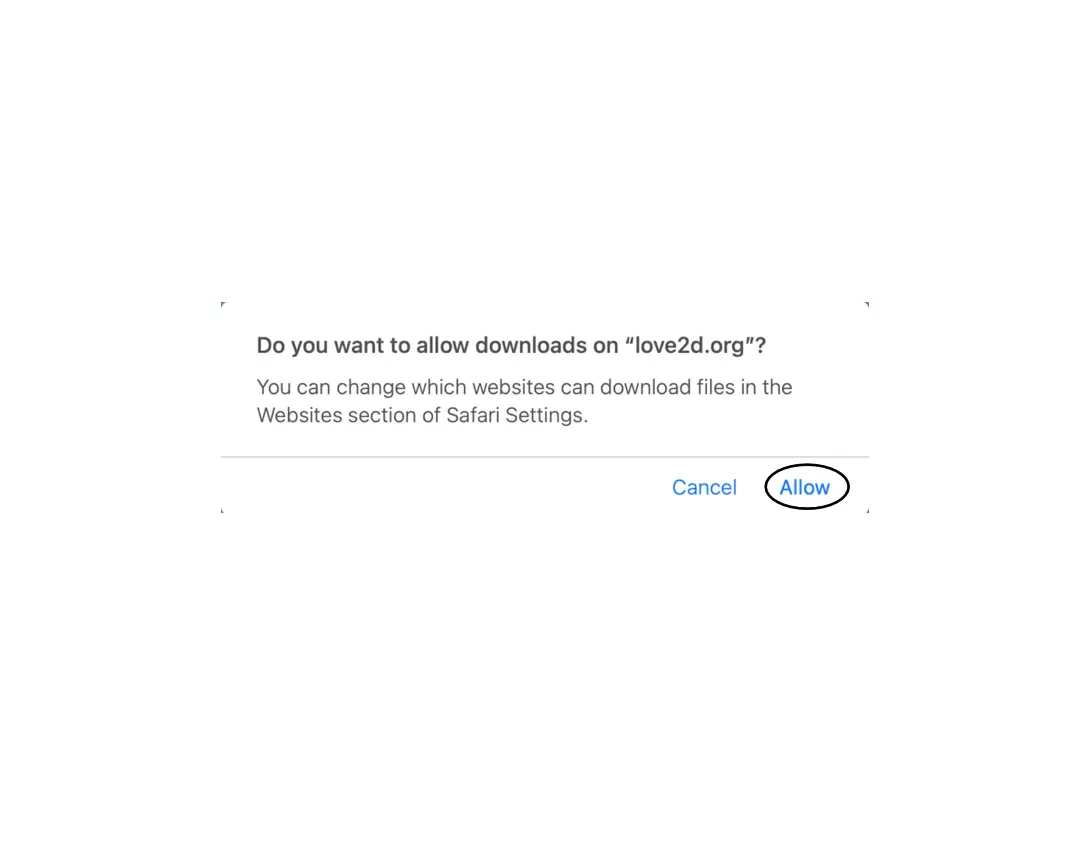
- Click "Allow" if it asks 'Do you want to allow downloads on "love2d.org"?' It should download to your Downloads folder by default.
- Now on your desktop (called "Finder" on macOS) open up your Downloads folder. You can right click and choose Open (see screenshot) or double click on Love to launch it.
- A warning popup box opens to say the program and code is not verified by Apple. DO NOT move to the trash.
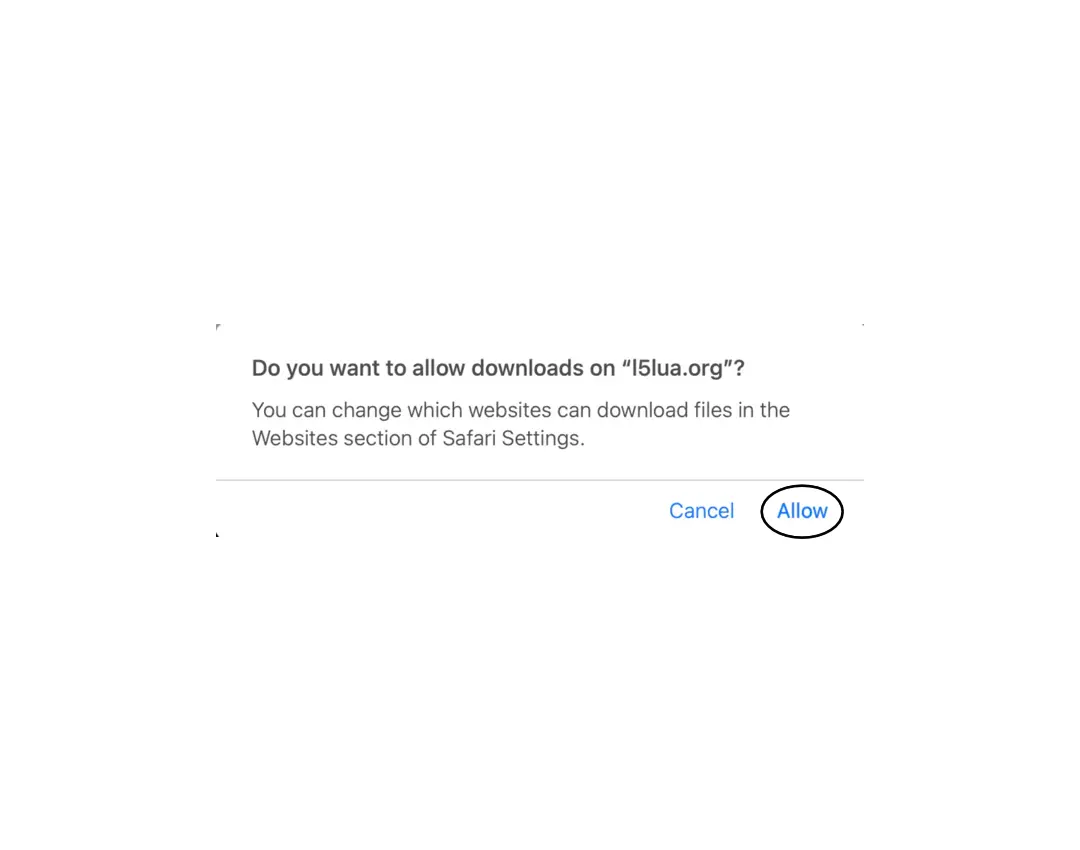
- Go to your computer's System Settings > Privacy & Security. Scroll down to the Security section and next to "love" was blocked to protect your Mac. choose Open Anyway.
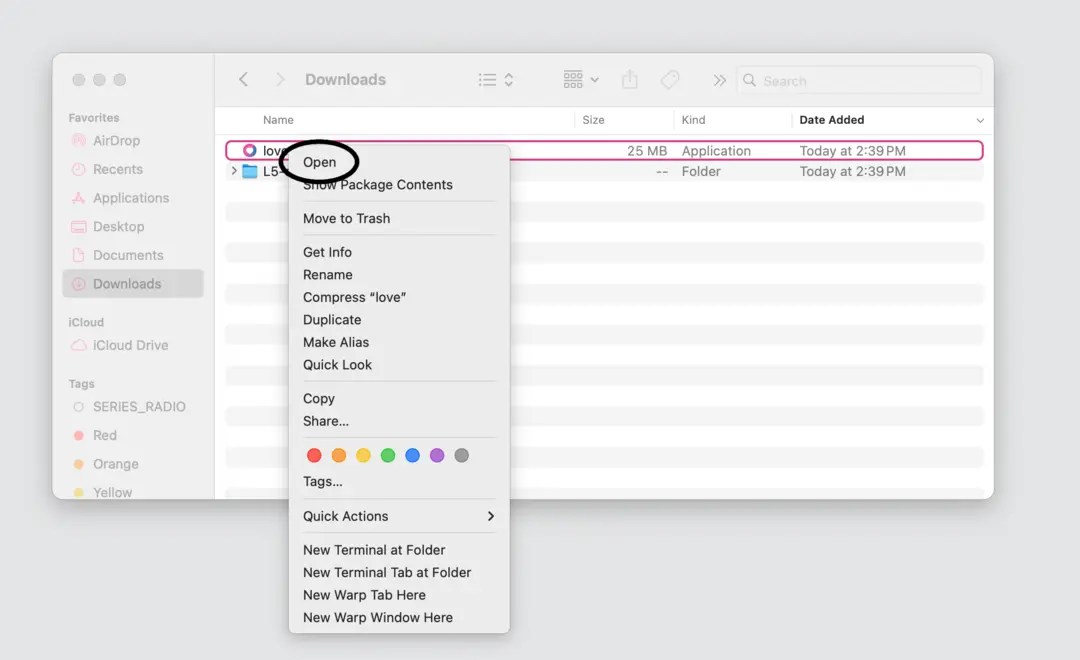
- Now go back to your Downloads folder and Double click on Love. We only need to do this once! It's to verify Love works on your computer, which will allow L5 to run your custom code. You should see a window open with a flying bird-shaped balloon and clouds, verifying that Love is now properly installed on your computer. At this point you can close the window. Usually on a Mac we place our applications into the Applications folder, so you may want to move it there.
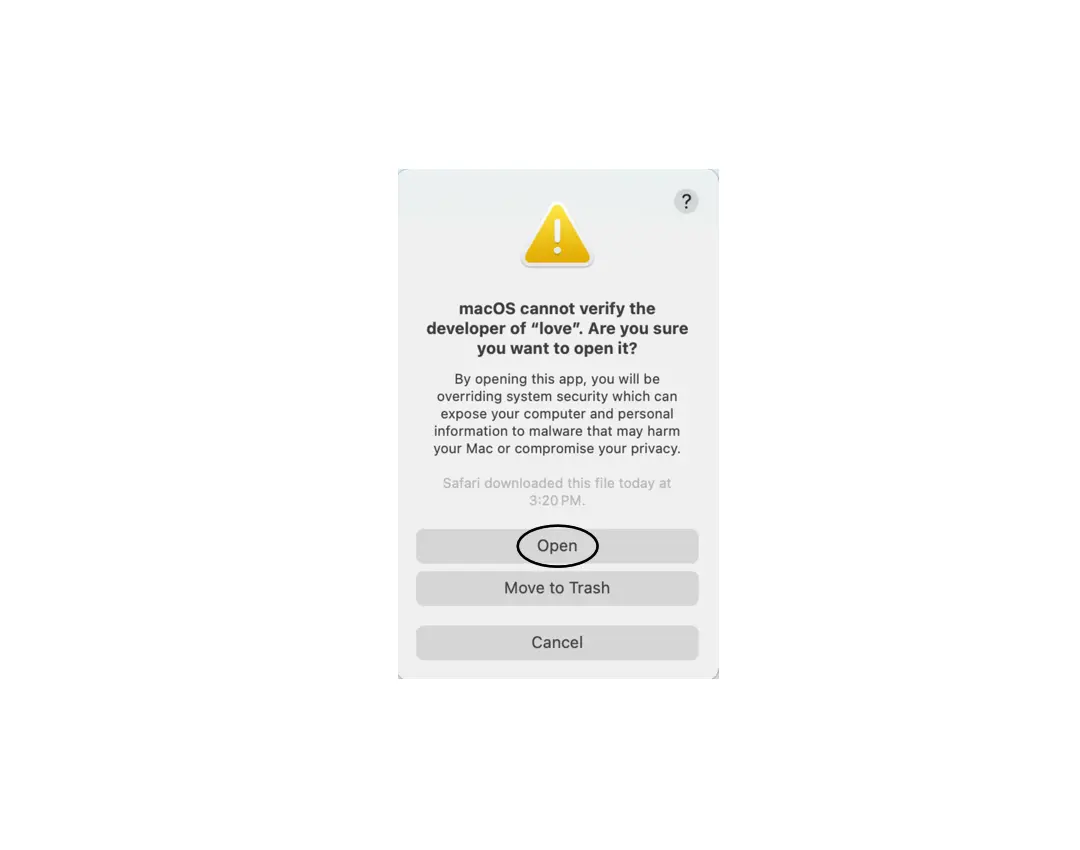
- After that, move your Love application to your applications folder.
This tutorial walks you through installing L5 with the Love (Love2d) framework on your Linux computer.
On Linux, installation through the command line is common, but it can also be downloaded through the Love website. Since Linux is an open source family of operating systems the exact process may need to be altered for your particular Linux distribution.
Installing Love differs based on which Linux distribution you have.
Simplest method: Installing Love through the web browser
Visit the Love website and download the Linux AppImage. This is a format to allow the installation of Linux software that is independent of specific distribution methods. Once downloaded you may have to right click and choose Properties and then select Executable as Program if this is not already checked. The exact method or wording can vary by Linux distribution. Then double click on Love. We only need to do this once! It's to verify Love works on your computer, which will allow L5 to run your custom code. You should see a window open with a flying bird-shaped balloon and clouds, verifying that Love is now properly installed on your computer. At this point you can close the window.
Alternatively, if you are accustomed to using your Linux distribution's package manager, you can install through the command line:
Installing Love on Debian/Ubuntu-based distributions with apt
sh
sudo add-apt-repository ppa:bartbes/love-stable
sudo apt update
sudo apt install love
Install Love on Arch-based distributions with Pacman
sh
sudo pacman -S love
Installing Love on Red Hat/Fedora/CentOS
sh
sudo dnf install love
Installing Love on Void Linux
sh
sudo xbps-install -S love
Additional options for installing Love
Love can also be found in the package manager for most other distributions, including BSD and Haiku OS, or installed via FlatPak, or built from source. See the Love2d website or check your package manager for more information.
Download the L5 Starter project
You can download the L5 Starter (right click -> choose Save As) or from the command line by navigating to the directory where you'd like to save the L5-Starter folder:
sh
cd path/to/folder
wget https://l5lua.org/L5-starter.zip
Uncompress it
unzip L5-starter.zip
Congratulations! You've now installed Love and have the L5 Starter on your computer.
Next, see how to run your L5 programs.
You can also download the L5 Starter project folder, source code and the offline documentation below.
L5 Starter
This is the current version of L5 Starter, a folder containing L5.lua, a starter main.lua file and README.txt.
Source code
The L5 repository is accessible for anyone interested in viewing or modifying the L5 source code. See contributing for ways to contribute to the library or this site.
Latest version of L5.lua: Download L5.lua
Offline Documentation
This L5 documentation site is available for download to run offline, with or without images.
After downloading, extract the ZIP and serve the folder with a local web server. For a quick local server, navigate to the extracted folder in your command line and run python -m http.server (Python 3) or python -m SimpleHTTPServer (Python 2).