Bitwise Operators
Bitwise operations operate on data at the underlying binary level of representation. Some are familiar as bitwise versions of common logical operations such as not, or, and, and the like, which apply the logical operation to the corresponding bits. For example, the bitwise and of the integers 2 and 3 is 2, as they share only a 1 in the two's place of their binary representations.
The syntax for performing bitwise operations may be different here than in other programming languages that you're used to. The bitwise exclusive or operator, for example, is often denoted by the caret x ^ y (will not work in L5) in other places and indeed, also in Lua after version 5.3. However, L5 is built with the LÖVE framework, which uses LuaJIT, which in turn primarily adopts Lua 5.1 conventions. So instead we use bit.bxor(x, y) for bitwise exclusive or, since it ships with LuaJIT by default. You can find more details on bitwise operations at the module's documentation page, but one tip to keep in mind is that explicitly declaring the BitOp dependency at the beginning of your program is considered good programming practice, and may also slightly increase performance:
local bit = require("bit")
As the example below shows, bitwise operations based on the x and y coordinates of your sketch can turn up some intricate and chaotic patterns. Experiment with them and see what you find!
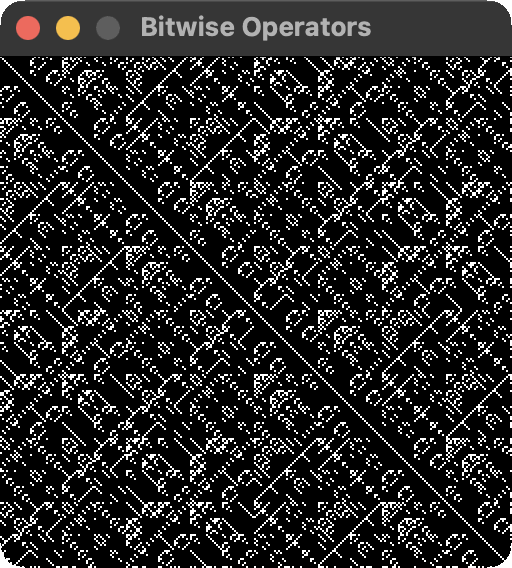
require("L5")
local bit = require("bit")

function setup()
  size(256, 256)
  windowTitle("Bitwise Operators")
  describe("A demonstration of how bitwise operators can be used to generate interesting black and white patterns.")
  background(0)
  stroke(255)
end

function draw()
  for i = 1, width do
    for j = 1, height do
      if f(i, j) == 0 then point(i, j) end
    end
  end
end

function f(x, y)
  return bit.band(bit.bor(x, y), bit.bxor(x, y) % 19)
end