Copy Image Data
Using the copy() method, you can simulate coloring an image in by copying an image of the colored image on top of the black-and-white image wherever the cursor is dragged.
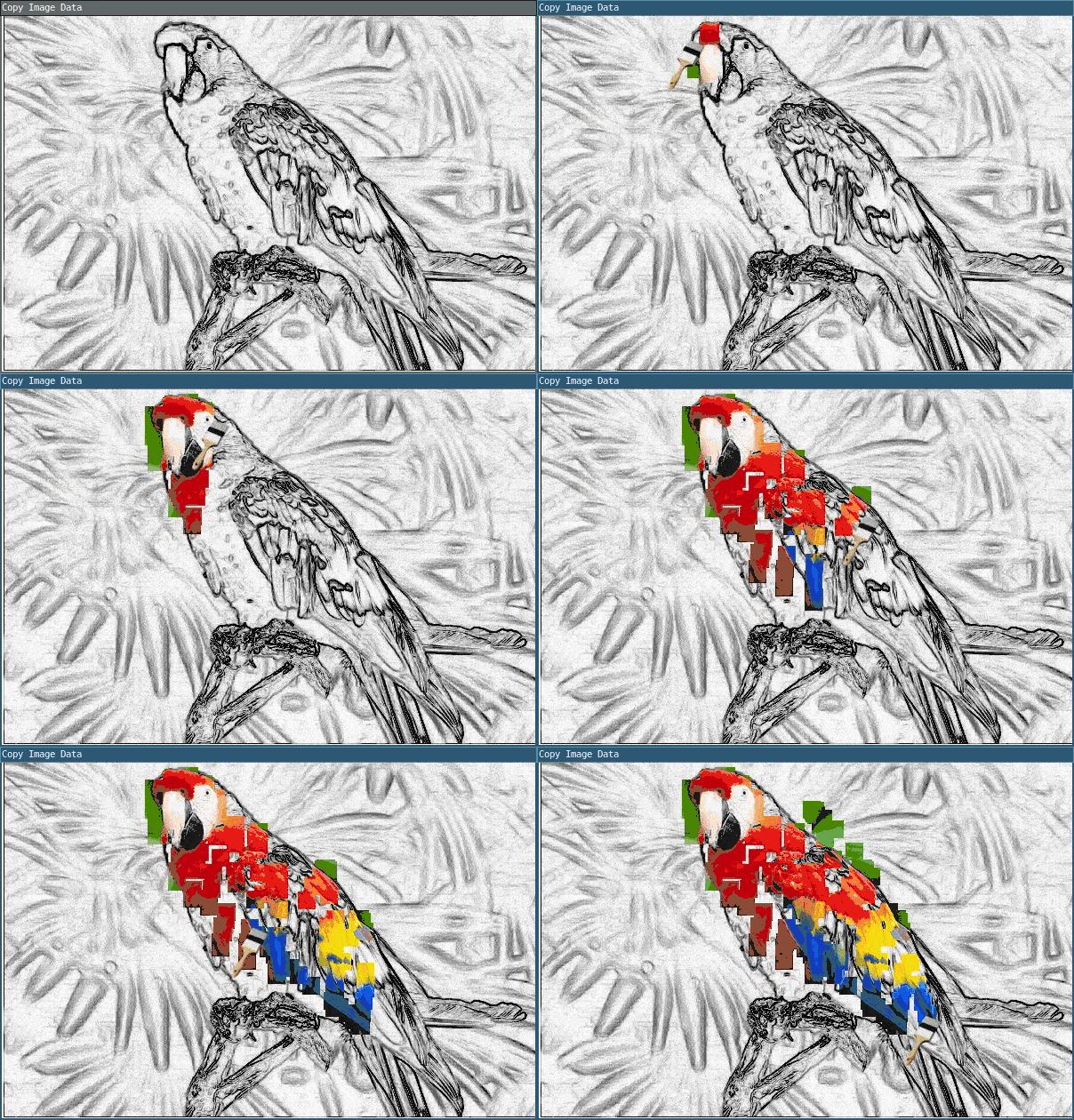
require("L5")

-- Define the global variables: bottomImg and topImg.
local bottomImg, topImg

function setup()
  size(600, 400)
  windowTitle('Copy Image Data')

  describe(
    'Black-and-white photograph of a parrot. The cursor, when dragged across the canvas, adds color to the photograph.'
  )

  -- Load the images from the canvas's assets directory.
  -- The bottomImg is the photograph with color,
  -- and the topImg is the black-and-white photograph.
  bottomImg = loadImage('assets/parrot-color.png')
  topImg = loadImage('assets/parrot-bw.png')

  -- Hide the cursor and replace it with a picture of
  -- a paintbrush.
  noCursor()
  cursor('assets/brush.png', 20, 0 )

  -- Load the top image (the black-and-white image).
  image(topImg, 0, 0)
end
function mouseDragged()
  -- Using the copy() function, copy the bottom image
  -- on top of the top image when you drag your cursor
  -- across the canvas.
  copy(bottomImg, mouseX, mouseY, 20, 20, mouseX, mouseY, 20, 20)
end
Related References
Related Examples
- Words - Load fonts and draw text.
- Copy Image Data - Paint from an image file onto the canvas.
- Image Transparency - Make an image translucent on the canvas.
- Video Player - Create a player for video playback and stylize in the window
Copy Image Data: Revised by Kasey Lichtlyter. Edited and maintained by p5.js Contributors and Processing Foundation. Adapted to L5 2025. Licensed under CC BY-NC-SA 4.0.