createGraphics Offscreen
Sometimes you may find a need for creating an offscreen canvas and drawing graphics to this hidden screen. For that we have the createGraphics() function.
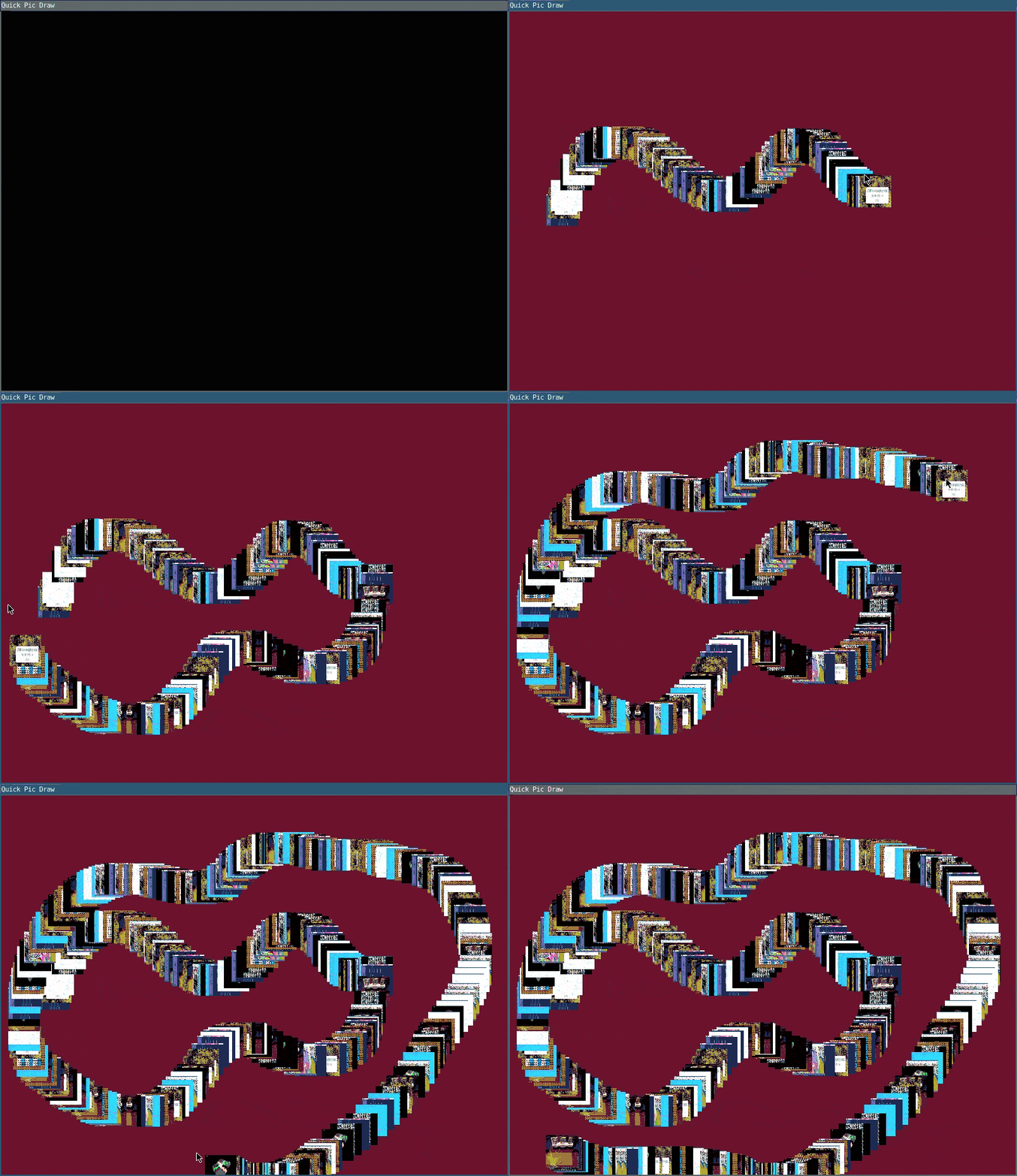
In this example, a type of drawing program, dragging with the mouse across the window will draw tiny photos wherever our mouse is located. If this was the entirety of the program, we'd have no need for createGraphics. A minimal implementation of this follows:
require("L5")

function setup()
  -- initalize a global array of images
  img = {}

  -- load all of our images
  for i=1,9 do
    img[i] = loadImage("assets/"..i..".png")
  end

  describe("Draws random images at mouse position when dragged in the window.")
end

function mouseDragged()
  image(random(img),mouseX, mouseY, 50, 50)
end
This program is fine, but what happens if we want a new color background each time we press down to draw a line or lay down photos? If we added background() to the mouseDragged() function than we would cover all of our previous drawing. To prevent this problem, we use an offscreen canvas.
In our setup() we load in photos to an array img. And we initialize our offscreenCanvas as a new graphics buffer for drawing with createGraphics().
As draw runs continously, it grabs the offscreen canvas. We'll come back to that. In the mouseDragged event, as long as we are dragging the mouse we start drawing to the offscreen buffer, leaving a randomly-selected image at the equivalent of the mouse X and Y positions, but in the offscreen canvas. As we press down on the mouse, we draw a random color on the entire visible fullscreen. Then in draw, we take the offscreen graphics canvas and draw it as an image, starting at the top left 0, 0 position, effectively applying this offscreen doodle of images with transparent background on top of the color background. This allows us to maintain the design of drawing photos on a colored canvas without overwriting the entire window's contents.
To extend the program, try changing the images, creating buttons to select images to draw with, add a secret scratch-off image finder or turn it into a coloring book game. You could even have multiple offscreen canvases and apply them to the window based on rules or randomness.
require("L5")

function setup()
  fullscreen()
  windowTitle("Quick Pic Draw")
  img = {}
  for i = 1, 9 do
   img[i] = loadImage("assets/"..i..".png")
  end

  background(0)
  describe("Draw with pictures.")

  -- Create offscreen canvas
  offscreenCanvas = createGraphics(800, 600)
end

function draw()
  image(offscreenCanvas:getCanvas(), 0, 0)
end

function mouseDragged()
  offscreenCanvas:beginDraw()

  image(random(img),mouseX,mouseY,50,50)

  offscreenCanvas:endDraw()
end

function mousePressed()
  background(random(255),random(255),random(255))
end
Related References
Related Examples
- 10print variations - An implementation of the classic maze-drawing algorithm
- Doodle draw - Basic implementation of a doodle drawing program
- Copy Image Data - Paint from an image file onto the canvas.
- Daily Rituals - One a day daily ritual generator