Mouse Signals
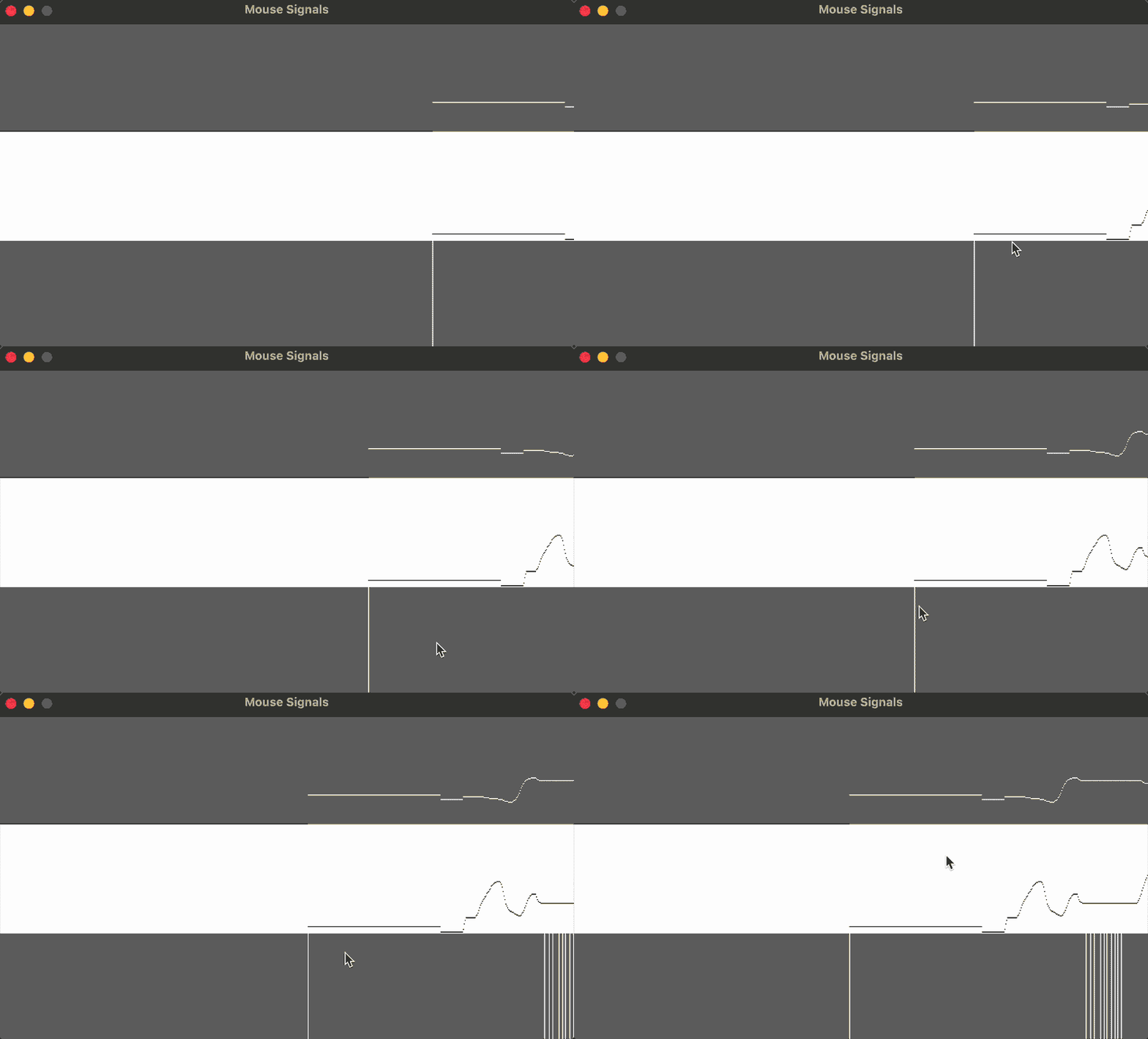
Move and click the mouse to generate signals. The top row is the signal from "mouseX", the middle row is the signal from "mouseY", and the bottom row is the signal from "mousePressed".
require("L5")

local xvals
local yvals
local bvals

function setup()
    size(640, 360)
    windowTitle("Mouse Signals")
    describe("Move and click the mouse to generate signals")

    noSmooth()

    xvals = {}
    yvals = {}
    bvals = {}

    for i = 1, width do
        xvals[i] = 0
        yvals[i] = 0
        bvals[i] = 0
    end
end

function draw()
    background(102)

    -- Shift the values to the left
    for i = 2, width do
        xvals[i - 1] = xvals[i]
        yvals[i - 1] = yvals[i]
        bvals[i - 1] = bvals[i]
    end

    -- Add the new values to the end of the array
    xvals[width] = mouseX
    yvals[width] = mouseY

    if mouseIsPressed then
        bvals[width] = 0
    else
        bvals[width] = height / 3
    end

    fill(255)
    noStroke()
    rect(0, height / 3, width, height / 3 + 1)

    for i = 1, width - 1 do
        -- Draw the x-values
        stroke(255)
        point(i, map(xvals[i], 0, width, 0, height / 3 - 1))

        -- Draw the y-values
        stroke(0)
        point(i, height / 3 + yvals[i] / 3)
    end

    for i = 2, width do
        -- Draw the mouse presses
        stroke(255)
        line(i, (2 * height / 3) + bvals[i], i, (2 * height / 3) + bvals[i - 1])
    end
end
Related Examples
Adapted from Processing examples. Adapted to L5 2025. Licensed under CC BY-NC-SA 4.0.